Simple tools to organize your household numbers, with your own files and a clear place to start.
THE COLLECTIONDIGITAL DOWNLOADS
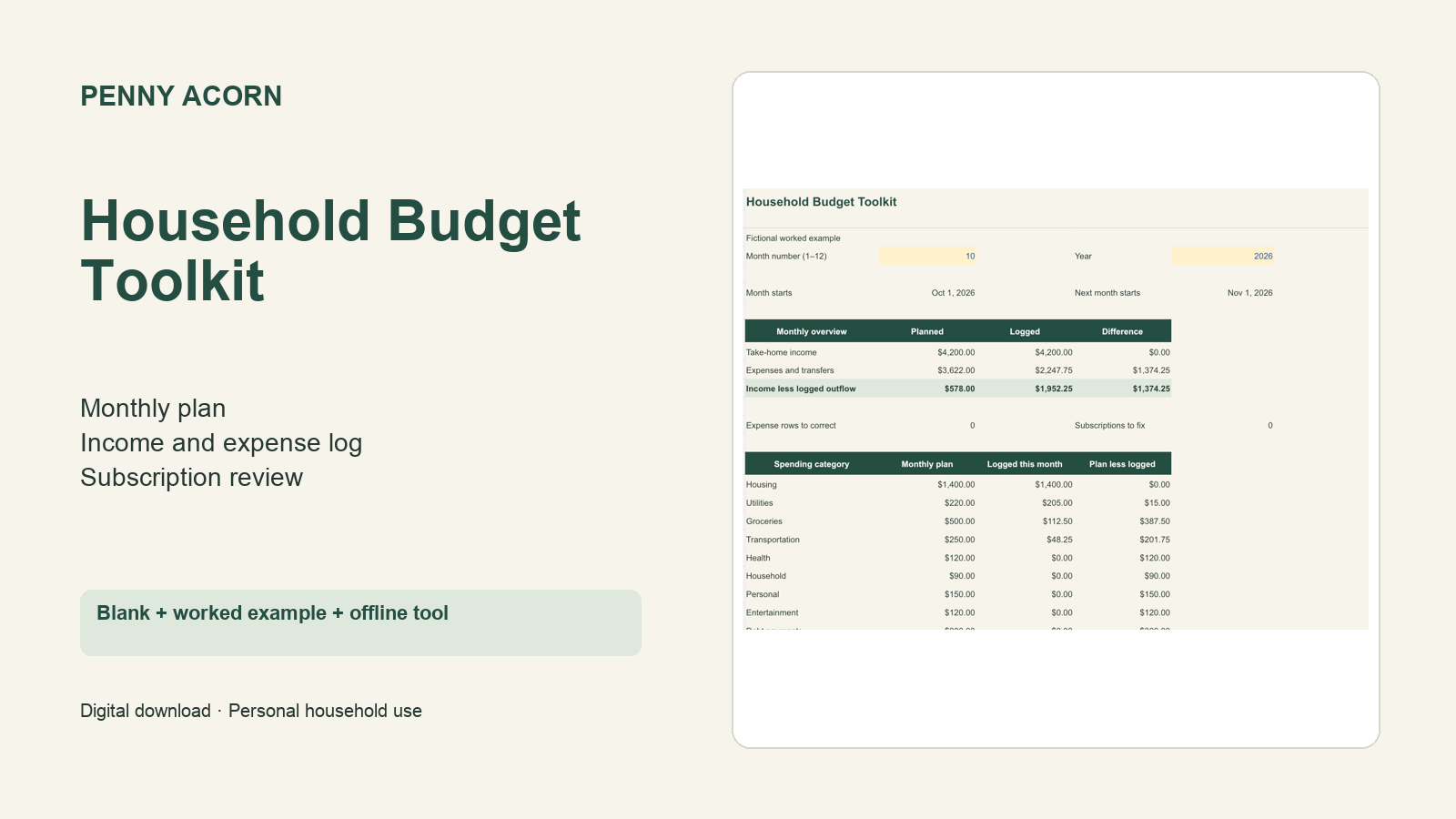
Toolkit preview; any displayed example amounts are fictional.
SPREADSHEET + OFFLINE BROWSER COMPANION
Household Budget Toolkit
Plan your month, review subscriptions and keep household income and outflow in one reusable system. Choose a spreadsheet or an offline browser tool for everyday use.
Two macro-free XLSX workbooks: a blank starter and a fictional worked example.
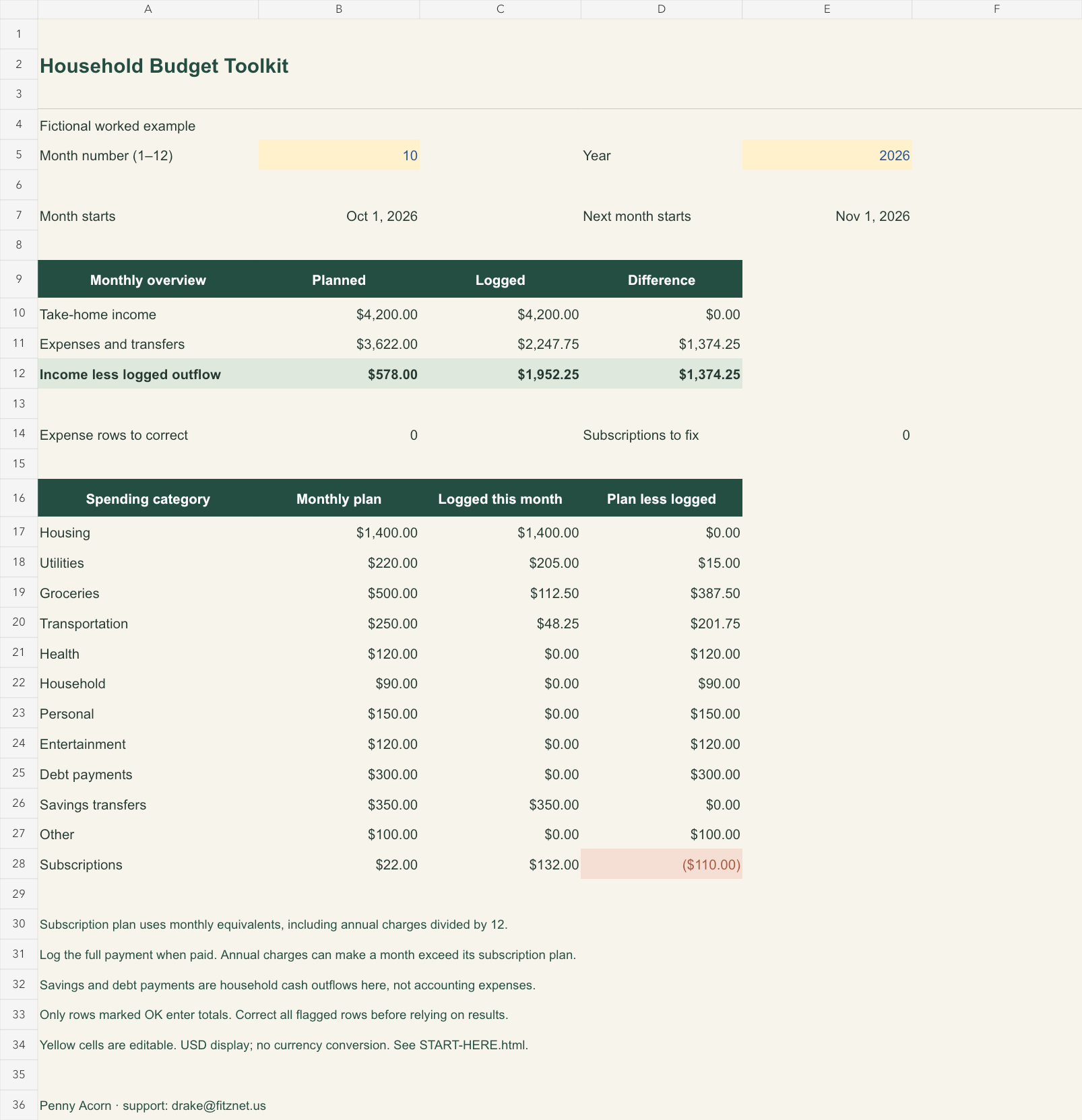
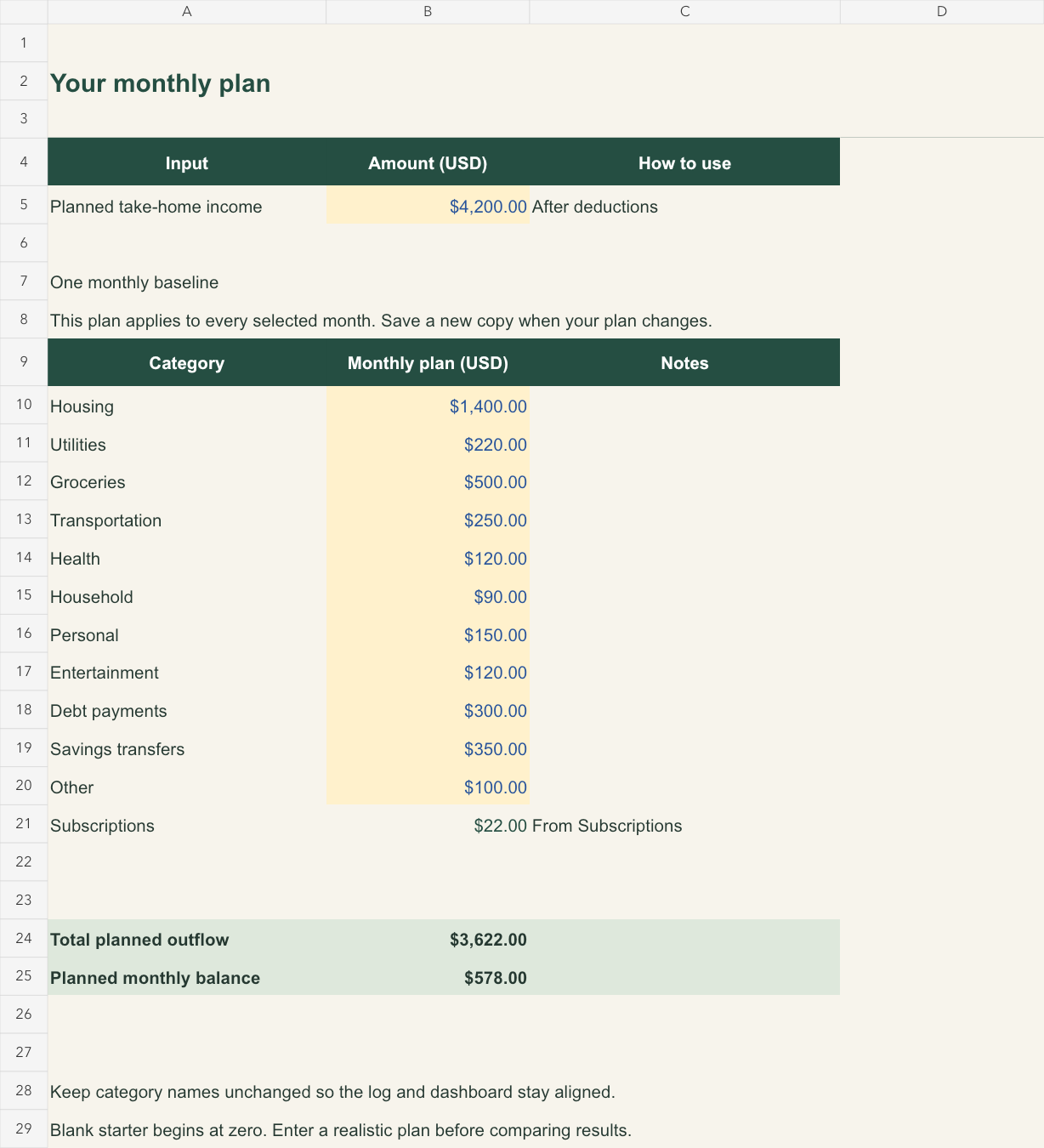
Dashboard, Budget, Expenses and Subscriptions tabs.
An offline HTML companion with monthly totals, entry log and JSON backup/import.
Up to 400 dated entries and 30 subscriptions; monthly/annual subscriptions convert to a monthly planning amount.
Start instructions, printable guides and a one-page monthly planner.
Spreadsheet and companion do not synchronize. One current monthly plan. USD display only. The companion requires manual JSON backups; refresh/close loses unsaved edits. No bank connection, cloud backup or setup service. Personal household use.
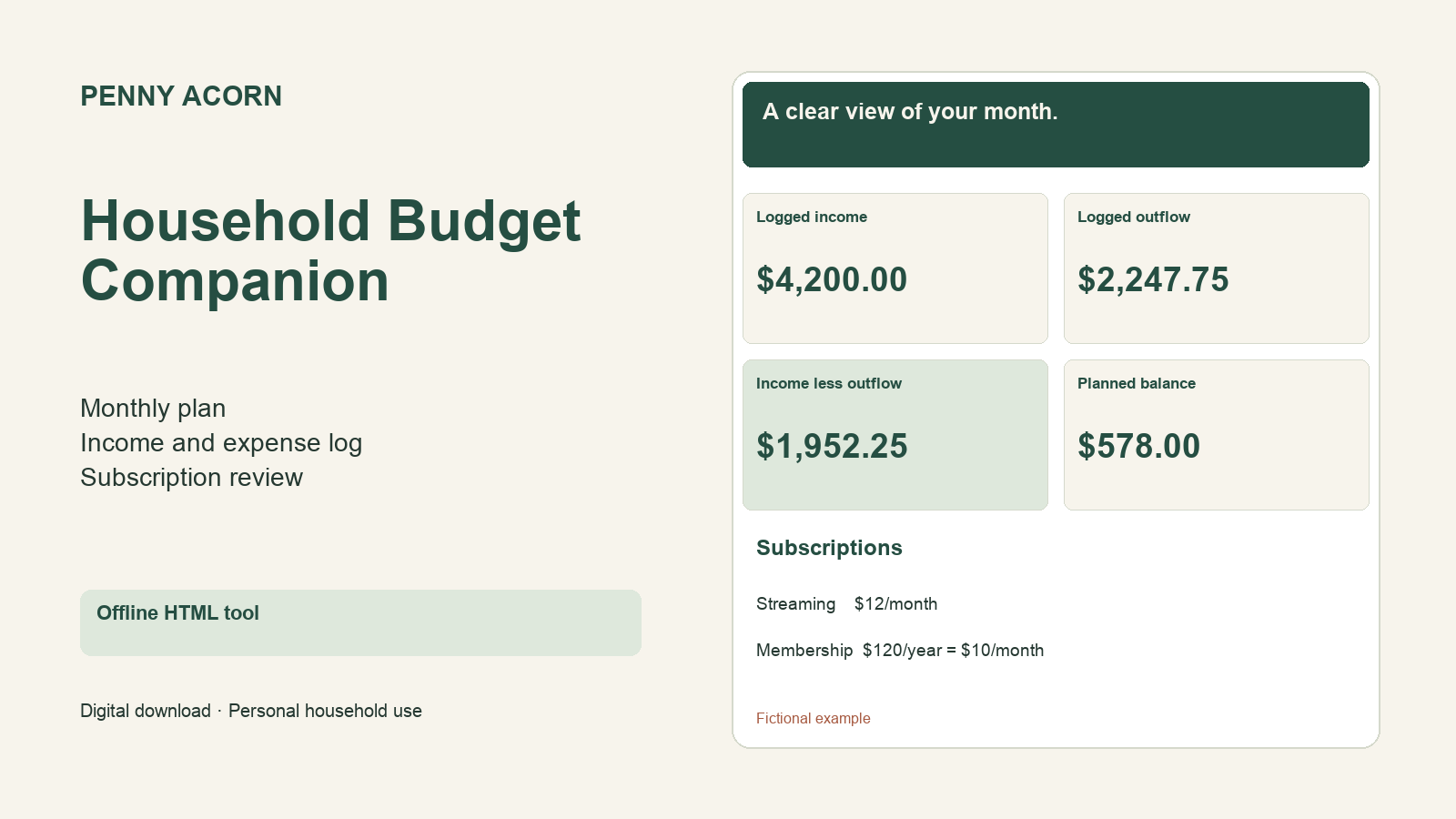
Browser companion preview. This tool is also included in the full toolkit.
THE BROWSER-ONLY OPTION
Household Budget Companion
Keep a monthly household plan and dated income/outflow log in an offline desktop browser tool. No account or subscription required; keep your own downloaded backups.
Self-contained HTML tool with monthly results, editable category plan and subscription review.
Up to 400 entries and 30 monthly or annual subscriptions.
Fictional worked example, print view, validated JSON backup/import and clear instructions.
This exact companion is already included in Household Budget Toolkit. Choose either offer; buying both is unnecessary.
Spreadsheet files are not included. Click Save backup after editing: refreshing or closing loses unsaved changes. One current monthly plan; USD display only. No automatic cloud backup, bank integration or setup service. Personal household use.
Fictional worked example in the spreadsheet dashboard.Fictional example plan. Workbook inputs and formulas remain editable.
1. Try a sample
See the format and decide whether the collection fits your needs.
2. Get your files
Purchase once through Gumroad and download the included files.
3. Make it your own
Follow the included guide and use the product within its stated license.
A few useful details.
How will I receive my files?
Checkout opens on Gumroad. After purchase, Gumroad provides a download page and emails a receipt with access to the files.
Is this a physical product?
These are digital downloads. No physical product, printing, or shipping is included.
Can you customize or install it for me?
Each product is designed for self-service use. Customization, installation, and individual revisions are not included.
What can I do with the files?
Personal household use only. Keep your own backups and copies for your household. Resale, redistribution and commercial client use are not included.
What should I check before buying?
A desktop spreadsheet editor that opens XLSX, or a desktop browser for the included HTML companion. Native recalculation was checked in LibreOffice; desktop Excel and Google Sheets were not individually tested. Workbook formulas are intentionally unprotected. Browser data requires Save backup before closing or refreshing.
What if there is a problem with the included files?
Check the quick-start guide first, then email drake@fitznet.us with the product name and the issue. For checkout and receipt problems, Gumroad also provides buyer help.